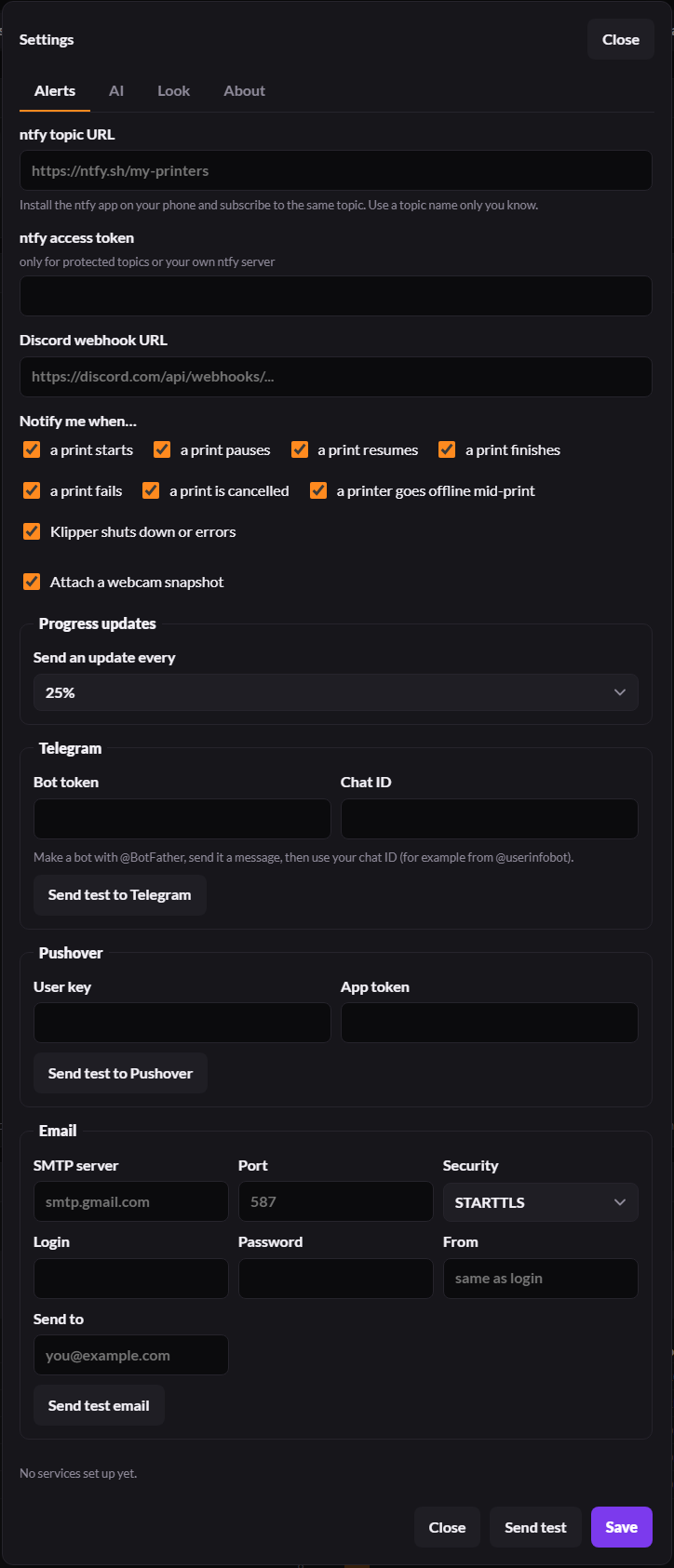
Notifications
Printer Buddy can message you when something happens on a printer.
Services
| Service | Needs |
|---|---|
| ntfy | basic |
| Discord | basic |
| Telegram | advanced |
| Pushover | advanced |
| advanced |
The advanced ones need Notifications = advanced in the installer.
Events
Started, paused, resumed, finished, failed, cancelled, went offline mid-print and Klipper shutdown — plus AI alerts. With advanced notifications you can also get progress updates (for example at 25% and 50%).
Setting them up
- Open the home page's Settings → Alerts, or a printer's Settings tab under Notifications.
- Fill in the services you want to use (ntfy topic URL, Discord webhook URL, Telegram bot token and chat ID…). Tick Attach a webcam snapshot to get a picture with each message.
- Tick the events you want.
- Save, then Send test (or a service's own button, such as Send test to Telegram) to check it works.
To silence one printer, open the menu on its card and switch Notifications off.